
Sky Parkour 3D
Run, jump and dodge your way across five floating obstacle courses in 3D, racing the clock for gold medals.
How to use: Move with W A S D or the left joystick, jump with Space or ⤒, and drag to turn the camera. Touch the flags to save checkpoints and reach the star.
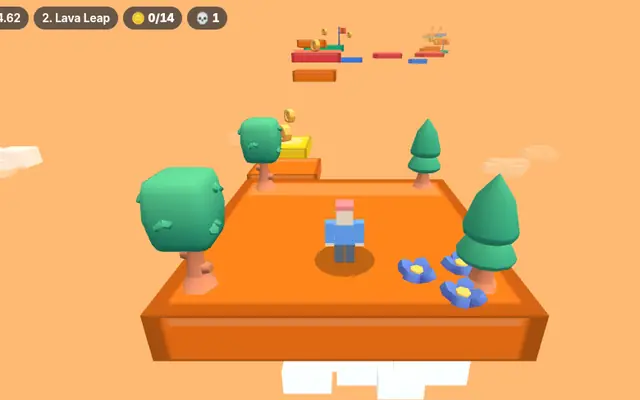
Sky Parkour 3D
Five floating courses. One clock. Can you get gold?
- Moving, vanishing and spinning platforms
- Checkpoint flags, coins and a golden finish star
- Best times saved on your device
Loads about 0.8 MB the first time. Works with a keyboard, mouse or touch screen.
Play next
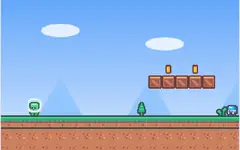
How to play Sky Parkour 3D
Sky Parkour 3D is an obstacle course game set high above the clouds. You play a blocky runner and your goal is to reach the golden star at the end of each course as quickly as you can. There are five courses, Sunny Steps, Lava Leap, Cloud Spin, Saw Mill and Sky Tower, and clearing one unlocks the next.
On a computer, move with W A S D or the arrow keys, jump with Space and drag with the mouse to swing the camera around. On a phone or tablet, use the joystick on the left side of the screen to run, the big ⤒ button to jump, and drag anywhere on the right side to look around.
The courses get harder as you go. Some platforms slide back and forth, some fade away a moment after you land on them, and some spin. Red lava strips and spinning saws send you back to your last checkpoint, and so does falling off. Green jump pads launch you high into the air. Touch a flag to save a checkpoint so you do not have to start over.
The timer starts when you begin a course. Finish fast enough and you earn a bronze, silver or gold medal. Your five best times for each course are kept on this device, so you can keep trying to beat them.
Frequently asked questions
What happens when I fall?
You go back to the last checkpoint flag you touched. The timer keeps running, so try not to fall too often.
How do I unlock more levels?
Finish a course to unlock the next one. Your progress is saved in your browser.
Does it work on phones?
Yes. Use the on-screen joystick to move, the jump button to jump and drag on the right side to turn the camera.